How to use Zeffy

Zeffy is our online donation platform. You can donate to our specific fundraisers, the BSS in general, and use the platform to become a member or renew your membership.
It’s an easy-to-use platform, but here’s a couple of points to help you use it the best way you can…
Zeffy Gift Aid Option
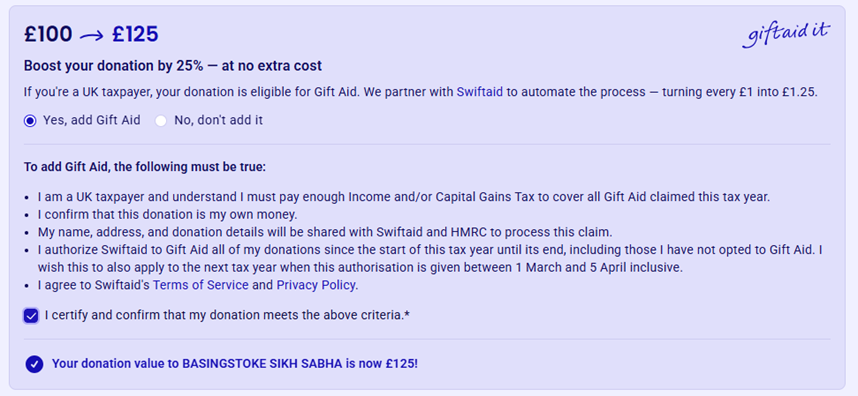
If you are a UK taxpayer, you can donate with Gift Aid! This is free and at no cost to you. It just ensures 25% is added to your donation and paid to the BSS by HMRC.
To ensure Gift Aid is applied, follow these steps…
1. Select your donation amount
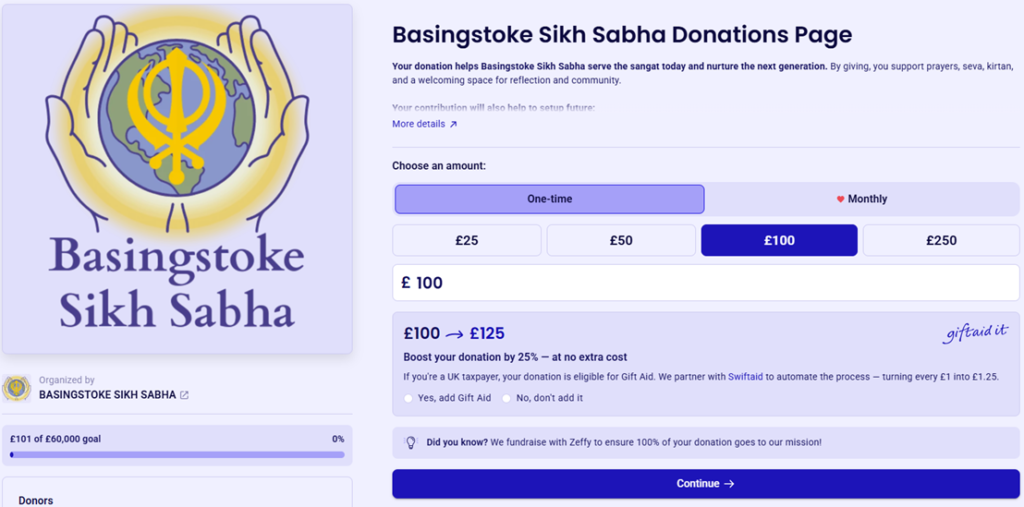
2. Click ‘Yes, add Gift Aid’
Voluntary Donation to Zeffy
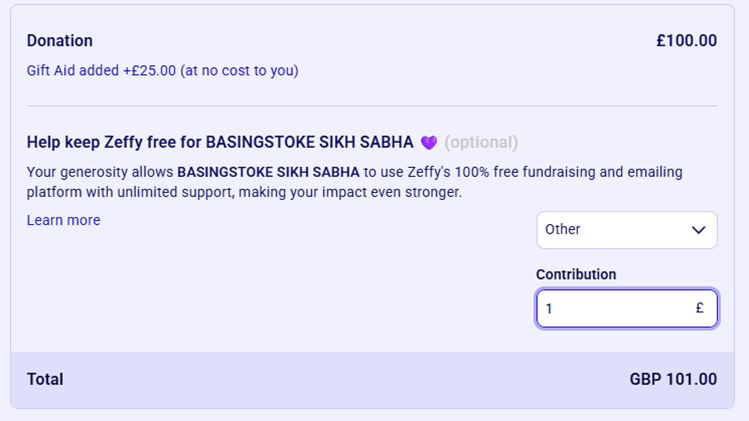
Zeffy does not charge the BSS to use the platform, so they ask for a contribution when making a donation. The default is set at 17% of your donation amount (excluding Gift Aid). If you wish to change the amount, or remove the contribution entirely, follow these steps:
1. Locate the Zeffy contribution
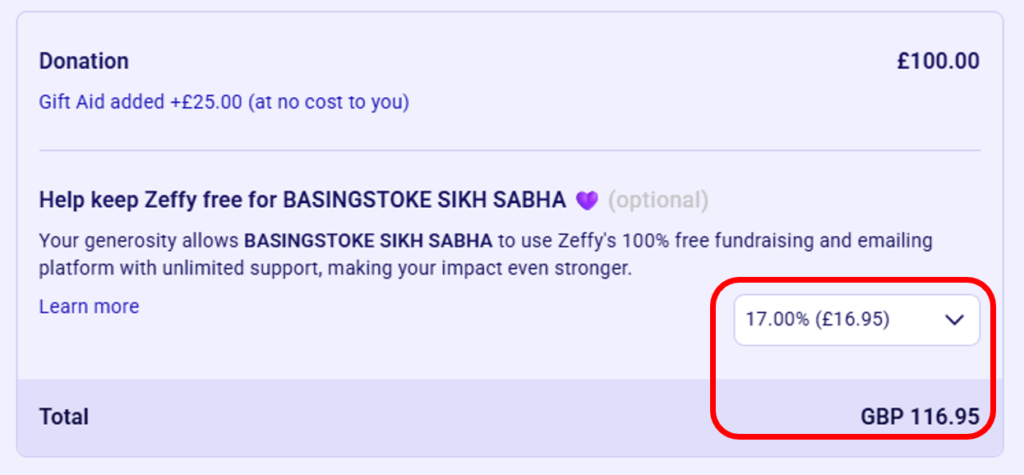
2. Click on the drop-down, and select ‘Other’
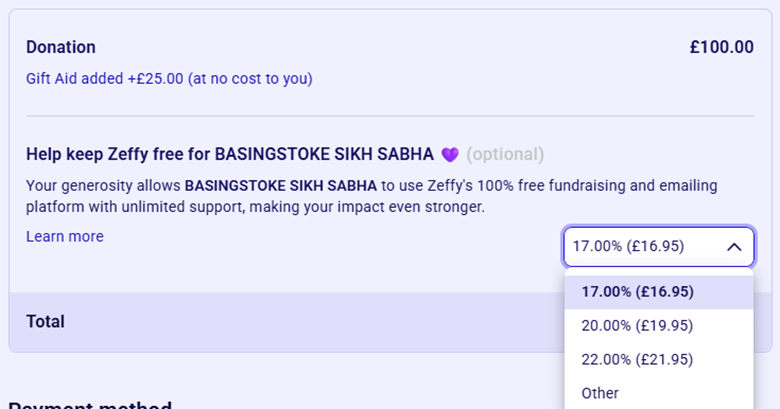
2. Type in your contribution amount, or type zero (0)